Speed Boat Tsunami Stay Updated After Every Patch
Like, follow, and join Bitporters so codes, boats, and rebirth advice stay accurate.
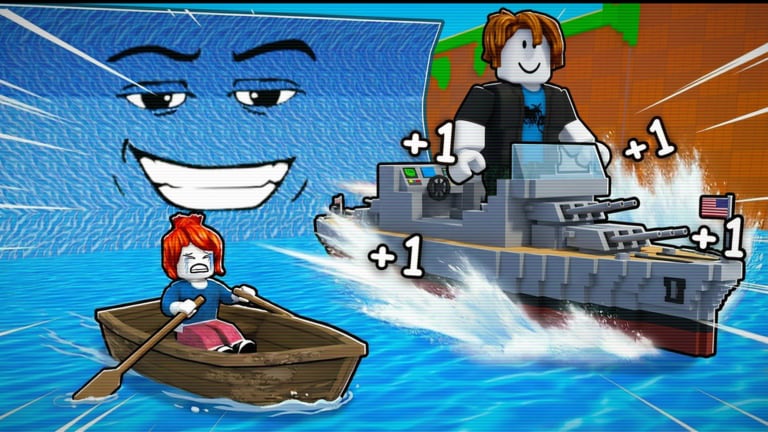
Bitporters prints three social calls on the +1 Speed Boat Tsunami experience page: Follow for updates, Like the game for updates, and Invite your friends for a boost. Those lines are easy to ignore while chasing Wins — but they are how the live Roblox economy stays connected to your account and how this wiki knows when to revise guides. This page explains what each signal means, where to click, and how to verify changes after the place Updated timestamp jumps.
Pair this guide with the updates hub whenever boat prices or code status feel wrong mid-session.
Why “like” and “follow” matter
Roblox experiences use likes and follows as discovery and notification signals. Bitporters explicitly asks players to like and follow for updates. You do not unlock a secret boat by clicking Favorite alone, but you do:
- Raise the chance of seeing Bitporters announcements in your feed
- Support the experience ranking that keeps servers populated
- Create a habit of returning to the official place after patches
Treat like/follow as maintenance, not a progression cheat. Progression still comes from codes, boats, treadmills, and rebirth — covered in how to play.
Step 1: Like the experience
- Open +1 Speed Boat Tsunami
- Click the thumbs-up / like control on the place page (or in-experience favorite/like UI where available)
- Confirm the vote registers — late July 2026 the place sits around 14.2k+ upvotes with strong positive ratio
Liking does not replace redeeming BITPORTERS. Codes still live in the left-side menu — see how to redeem codes.
Step 2: Follow Bitporters and join the group
The developer group is Bitporters (group id 35641792). As of 2026-08-01 the group lists roughly 676k+ members and the public description still reads Use code BITPORTERS.
Why the group description matters
When codes rotate, Bitporters often updates the group blurb before fan sites catch up. If the description drops BITPORTERS, treat that as an early warning and cross-check the active codes hub plus expired codes.
How to join
- Open the group URL above
- Join Bitporters if you are not already a member
- Optionally enable group shout notifications if Roblox offers them on your client
Group membership is free. It does not replace treadmill training or boat upgrades.
Step 3: Watch the place Updated timestamp
The Roblox games API and place page expose a last-updated time. The latest observed place update as of this wiki refresh is 2026-07-31. When that timestamp jumps:
- Rejoin a public server
- Re-test codes from active codes
- Spot-check boat prices against the tier list
- Read rebirth preview text before resetting — how to rebirth
- Skim updates for wiki checklist items
Private servers sometimes lag live economy configs. Prefer public lobbies for verification — also covered in codes not working.
Step 4: Invite friends when online
“Invite your friends for a boost” is a separate social lever. When friends share your server, session output can rise. Execution details live on invite friends boost. Staying updated is about signals; invites are about session multipliers.
What this wiki refreshes after you report changes
When Bitporters ships a meaningful live change we revise:
- Code tables and redemption troubleshooting
- Boat ranking notes on best boats and early game boats
- Rebirth advice and the rebirth planner
- Beginner flow pages including the first hour checklist
If in-game numbers disagree with a guide, trust the client and check updates for a pending revision.
Live snapshot (2026-08-01 refresh)
| Signal | Approx. value |
|---|---|
| Visits | 7.1M+ |
| Playing now | 4k+ (peaks higher) |
| Favorites | 14.8k+ |
| Group members | 676k+ |
| Upvotes | 14.2k+ |
| Active code | BITPORTERS → 1,500 Coins |
| Last place update | 2026-07-31 |
Numbers drift daily. Use them as context, not as hard caps.
Social hygiene: avoid fake update channels
Discord servers, TikTok comments, and random YouTube thumbnails invent codes faster than Bitporters retires them. Prefer:
- Official place description
- Bitporters group description
- This wiki’s codes table after human verification
- Fresh public-server redemption tests
Never paste unknown loadstrings because a comment promised “update script.” Script risks stay on the scripts hub.
Mobile and console notes
Like and join-group flows differ slightly on phone vs desktop. On mobile, open the place page in the Roblox app browser surface, like from the experience details sheet, then join the group from the Communities tab. Codes still redeem in-experience on the left side — mobile tips covers HUD quirks.
Related pages
- Updates hub — post-patch checklist
- Active codes — verify BITPORTERS after every update
- Official links — place, group, and wiki map
- First hour checklist — productive session plan
- Mid-game guide — after hour one through first rebirth
- Invite friends boost — social multiplier
- Guides hub — full walkthrough index
Frequently Asked Questions
Quick answers to common Speed Boat Tsunami questions.
Does liking Speed Boat Tsunami give free Coins?
No guaranteed Coin reward is documented for likes. Like and follow help you catch Bitporters update signals; Coins still come from codes and gameplay.
Where does Bitporters post the active code?
The Bitporters Roblox group description currently says Use code BITPORTERS. Always confirm in the left-side Codes menu after patches.
How do I know a patch just shipped?
Watch the Roblox place Updated timestamp, sudden code failures, or boat price changes between servers. Then run the updates checklist.
Should I join the Bitporters group?
Yes if you want the earliest public code text and community signals. Membership is free and separate from rebirth progression.
Are YouTube thumbnails reliable for new codes?
Often not. Prefer the group description, active codes hub, and a clean public-server redemption test.
What should I check after every update?
Codes, boat prices, rebirth preview text, and training rates. Use the updates hub checklist and rejoin a public server first.